Turn Your Website Into A Money Machine

I’ll admit it, I do it frequently, maybe more often than I should. You’ve probably done it too. Amazon, TigerDirect and even my electric company have made it very easy to pay online for goods and services with a credit card. If you haven’t done the same for your customers, maybe you should?

After implementing an online credit card payment portal on their web site, Brad Rosenbaum of Hemisphere Educational Tours reported, “We were amazed at how much staff time was freed up once we started taking online payments. Cash flow improved immediately, we virtually eliminated problems with late payments, and the volume of mail dropped considerably.”

In order to understand the online credit card transaction process, let’s trace the path that your customer’s money takes from the web page on their computer to your bank account.

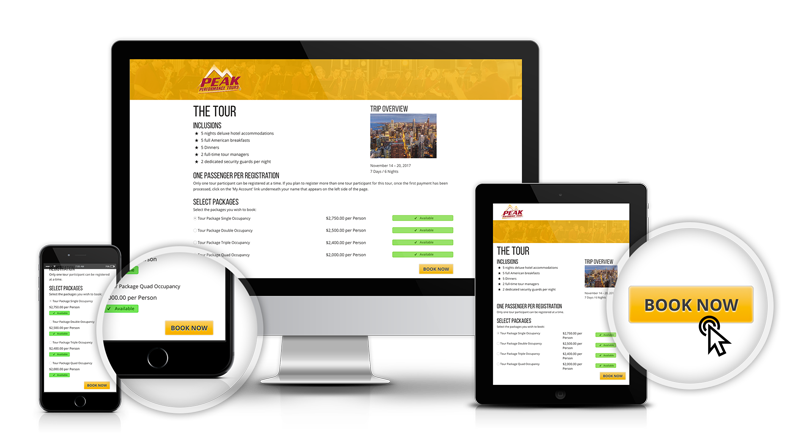
The transaction usually starts with a user clicking a button on a web page and being directed to a secure page where they can enter their name, address and credit card information. When finished, the information is processed by an internet payment gateway. The card and the user address information are checked for a match with the account information on file; the card number, expiration date, card ID and balance are checked. If everything is copasetic the gateway returns some data to the user and to your web site server. The user will see the receipt page, print it and the web server will grab some of the data and store it.

Meantime, and this is my favorite part, the gateway has queued up a transaction in your merchant account to move the money into your bank account.

The following are the parts you will need to assemble your own money machine.

Your web host can provide database services; you will need to capture and store some of the information about the credit card transactions that occur and you will want to run daily reports.  You will need a Domain SSL certificate. This is a bit of web code that places the “lock” icon in the frame of a web browser and lets your customers know that the information they are entering is safe from prying electronic eyes.

There are two accounts you will need to arrange, an internet payment gateway account and a merchant account. You already have the later if you are accepting credit cards.

A good to place to start for the gateway account is with AuthorizeNet (see links at close of article). They can also help with the merchant account. Because you weren’t born yesterday you have probably figured out that because these good souls are providing a service to you, they will want a piece of the action. Fees for the gateway and merchant account are usually in the form of a small percentage of the transaction amount plus a transaction fee.

Do shop around for the merchant account but you will find the AuthorizeNet gateway fee structure is reasonable and according to EJ Sexton, director of web technologies for TourTech Systems, “They offer a straightforward web payment portal that can save you development time which means you save programming dollars.” “Check out the Server Integration Method (SIM), simply pass the transaction amount to Authorize.Net, and they take care of the rest.”

The last aspect of credit card processing that you need to be aware of are the requirements imposed by the Payment Card Industry – Data Security Standard (PCI_DSS). There are strict guidelines that must be followed for collecting, managing and storing credit card data.

Implementing a credit card payment portal on your web site is a win-win scenario for your customers and your staff. And nothing is more satisfying than opening a bank statement only discover that you have more on deposit than you thought!. Cha-ching!

AuthorizeNet, gateway and merchant accounts - developer.authorize.net/
PayPal/VeriSign, gateway and merchant accounts - www.paypal.com/
SSL Certificates - www.thawte.com or www.verisign.com/ or www.positivessl.com/
PCI-DSS - www.pcisecuritystandards.org/security_standards/pci_dss.shtml

Comments

Post new comment

  • Web page addresses and e-mail addresses turn into links automatically.
  • Lines and paragraphs break automatically.
  • Images can be added to this post.

More information about formatting options